client
LivNSense
year
'24
timeframe
3 Months
team
Designer, Developers
UI Design
SaaS
Dashboard
VICAS is a SaaS platform designed to improve safety in industrial workplaces by using computer vision to detect incidents related to material handling equipment (MHE), PPE compliance, and near-miss events. It already had a functional web platform, however, the existing interface felt cluttered and lacked clear visual hierarchy, making it harder to quickly interpret safety information and navigate the system.
The goal of this project was to redesign the interface to create a cleaner, more intuitive experience while establishing a modern visual language that could scale as the product evolved. As the sole designer on the project, I worked closely with developers and management to redesign the UI.
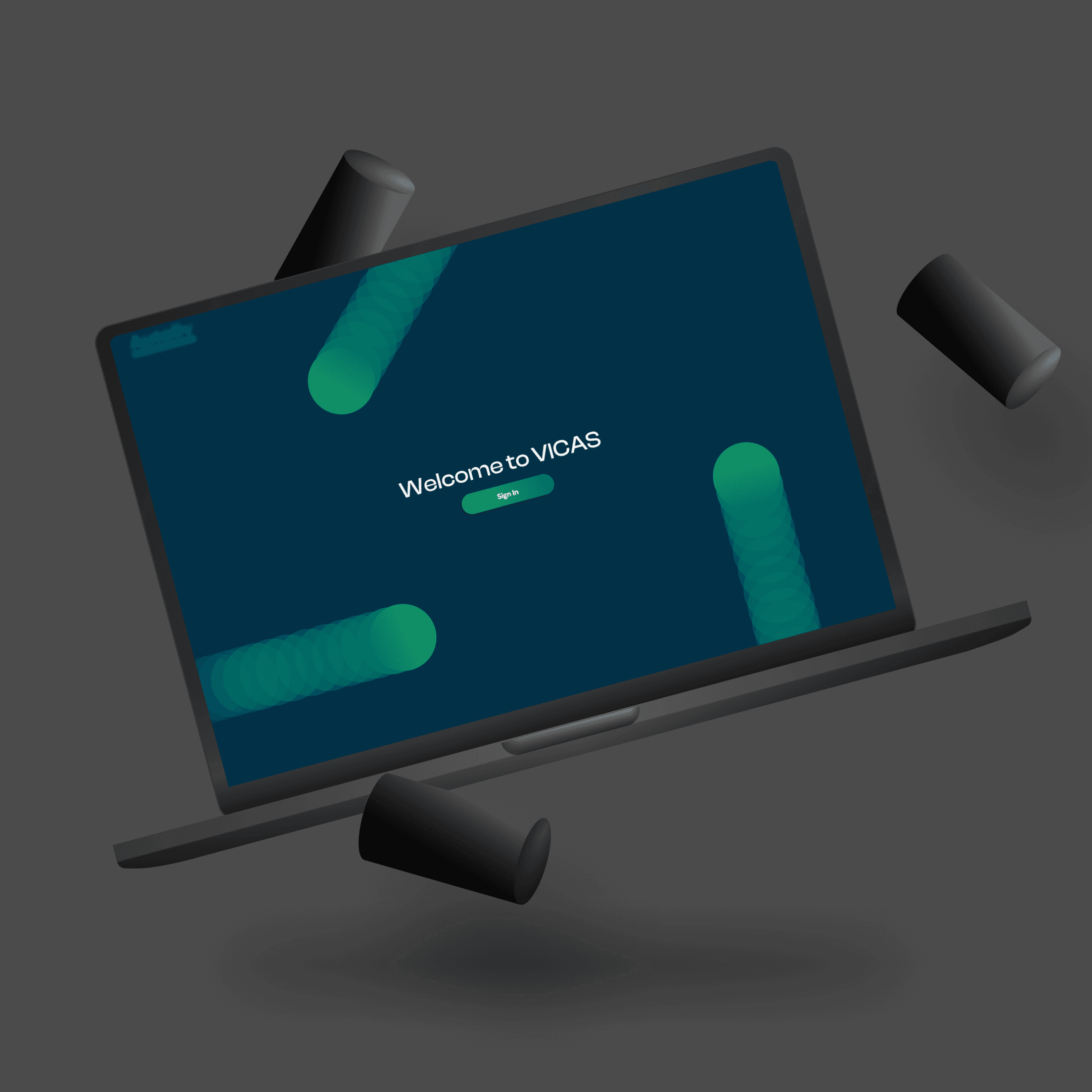
I began by familiarizing myself with the existing platform and how clients were using it in practice. This included reviewing previous client usage patterns and conducting a survey to understand their experience with the system.
To better frame the problem space, I also studied similar platforms and explored the technical context behind such systems. These insights helped me define user personas and identify the most important safety KPIs that needed to be clearly surfaced.
Since the goal was to create a modern and trustworthy interface for an industrial product, I explored multiple mood boards inspired by SaaS dashboards and company's branding. Through discussions with management, we refined these explorations into a visual direction that balanced clarity, professionalism, and a sleek interface suitable for the product.
With the visual direction defined, I began building the core interface system, defining themes, typography, buttons, input fields, dropdowns, and iconography to ensure consistency across the product.
Also, I redesigned the user flow to make navigation and information access more intuitive. Once these patterns were established, I expanded the system into full interface screens that highlighted key safety insights and KPIs for managers.
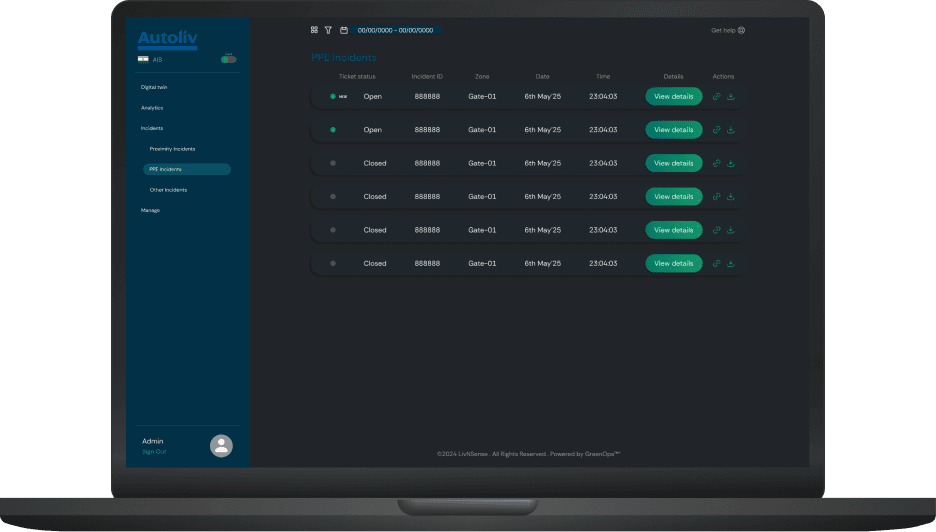
Grouping incidents and prioritizing key information supports different user preferences, also reducing scanning effort.
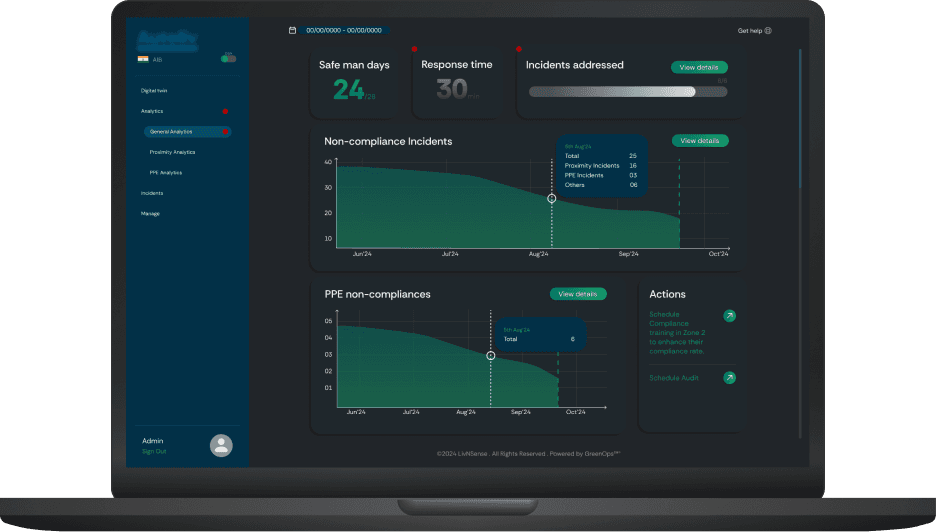
Dashboards were restructured to highlight critical KPIs and trends. Data-heavy views were simplified using clearer layouts, consistent actions, and better spacing, making it easier for users to scan and take quick actions.
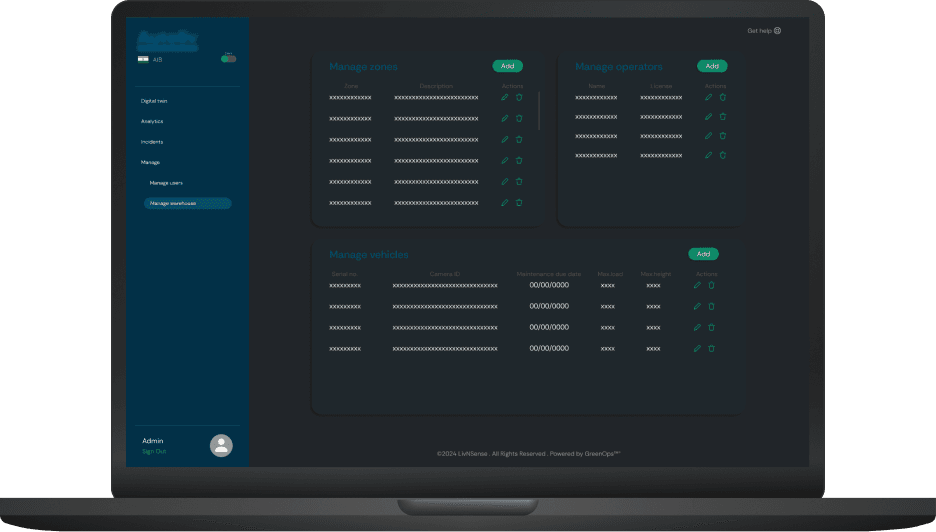
Reusable components and consistent patterns were introduced across, improving usability and ensuring the interface could scale as new features were added.
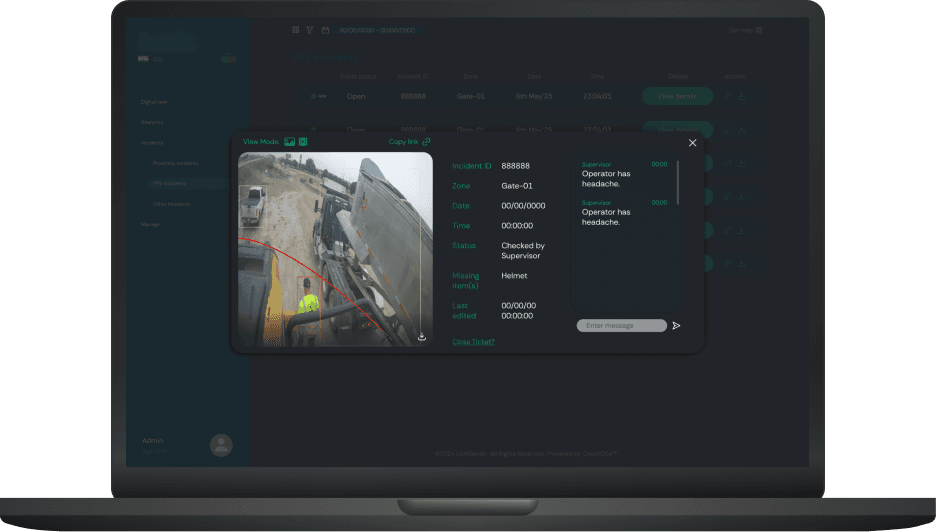
Incident details combine visual evidence with structured data, enabling users to quickly understand context, collaborate, and take action without switching views.
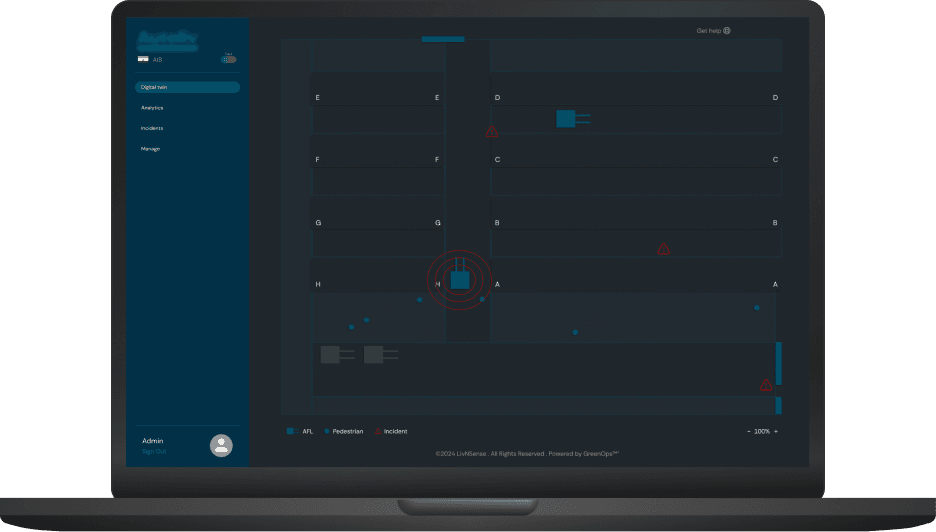
A future concept exploring digital twin style visualization of incidents to provide contextual understanding of safety risks.
• The redesign was completed within a short timeline. Design decisions were made in close collaboration with developers and management, balancing usability improvements with existing product patterns and business direction.
• Direct user access was limited, so insights were primarily derived from existing usage patterns and stakeholder inputs.
As my first experience working on a live product, it helped me understand how to translate requirements into practical design solutions, collaborate with developers, and navigate design decisions within real-world constraints.